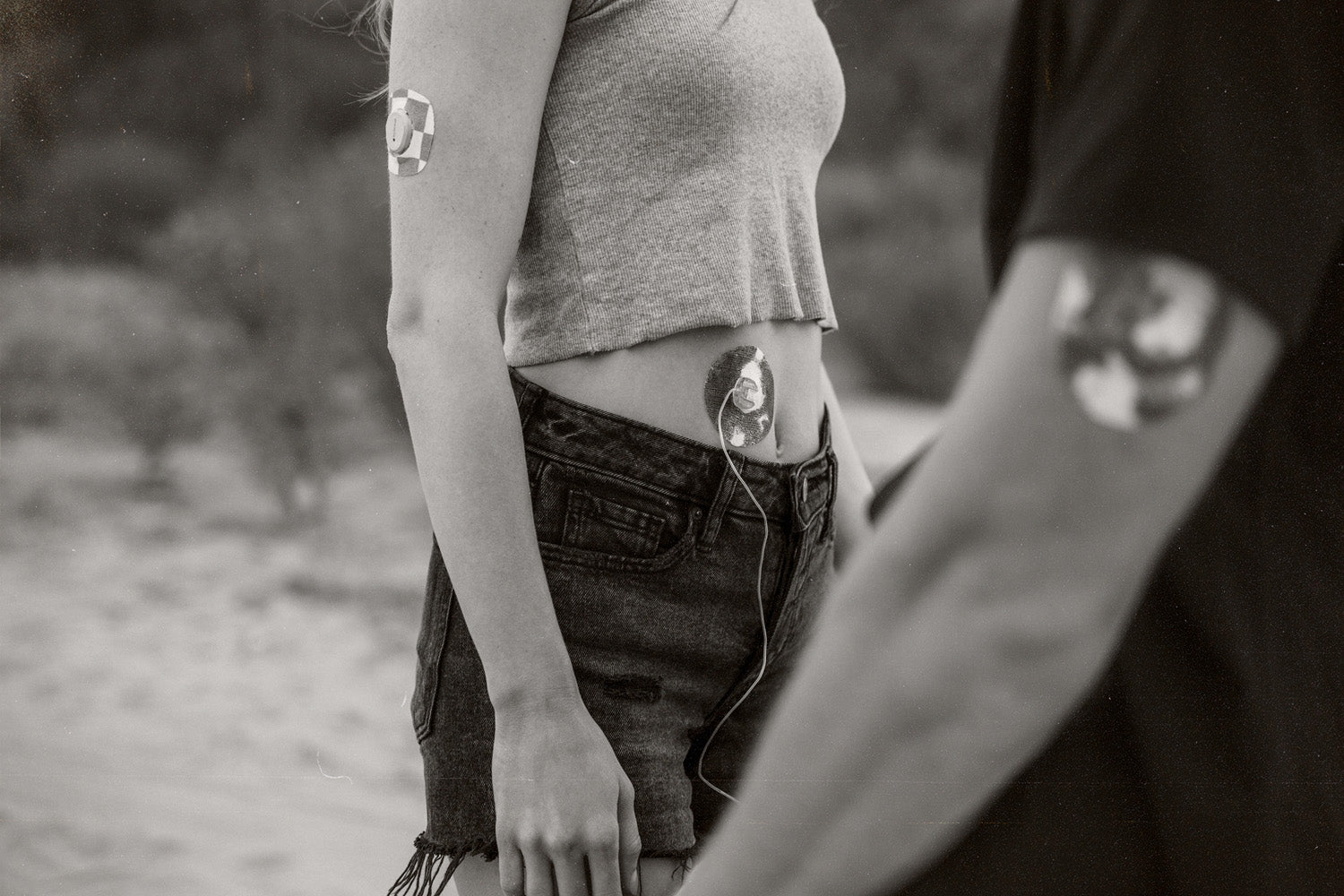
How to Keep Your Dexcom G7 Sensor From Falling Off
Keep your Dexcom G7 sensor from falling off with clean, dry skin, the included overpatch, and time for the adhesive to settle.
Maybe your CGM catches on a towel, starts peeling after a workout, or needs a little extra support before a beach day. A secure sensor starts before you head out, with good prep and a patch that suits your skin and routine.
Our Dexcom G7 adhesive patches offer extra support for those everyday situations. Good application still matters, even with a stronger patch.
If peeling keeps happening, pay attention to when it starts. Trouble right after a sensor change calls for a closer look at preparation. Edges that catch during dressing need a different approach.
Knowing the pattern makes your next adjustment more useful than guessing.
How Do You Keep a Dexcom G7 Sensor From Falling Off?
Dexcom G7 adhesion starts with clean, dry, hairless skin, free of lotions and oils.1
Follow your device's insertion instructions. Shave or clip hair from the site if needed, and make sure the patch area is clean and dry before you apply.1
Apply the overpatch supplied with your sensor as instructed. Extra glucose monitor tape adds support; it doesn't replace the steps in your sensor instructions.
A few common situations are worth planning for:
|
Situation |
What helps |
What to remember |
|
Sweaty workouts |
Dry skin and settling time |
Avoid immediate heavy sweating |
|
Swimming and showers |
Compatible overpatch and gentle drying |
Follow the sensor's water limits |
|
Clothing catching edges |
Smooth application and less rubbing |
Check lifting edges early |
Match your preparation to the part of your day that usually causes trouble.1
How Do You Apply a CGM Overpatch Smoothly?
CGM overpatches need firm contact with clean, dry skin; peeling the backing gradually helps you position the patch without touching the adhesive.1
Follow our patch application guide: place one backing section at a time, press firmly, and smooth wrinkles. Use a mirror or ask someone to help with an awkward angle.
Our instructions recommend waiting one hour before activity. Plan sensor changes around a quieter window when you can.1
What CGM Patches Work for Workouts and Discreet Wear?
Dexcom G7 patches should match your sensor, activity level, and skin tolerance; flexible, breathable fabric moves with your body, and neutral colors keep the look low-key.2
Yoga, running, and fitted sleeves each put different demands on a patch. Look for flexibility, a smooth edge, and a color you're comfortable wearing.
Our pick: Skin Grip Original Dexcom G7 patches with cutout. The fabric options offer four-way stretch, breathable material, and a cutout that leaves the sensor exposed. Tan, chocolate, and black give you alternatives to brighter designs.2
For heavier activity, Skin Grip MAX patches offer a smaller, thinner design and more aggressive adhesive. MAX isn't recommended for sensitive skin.3
How Do You Care for CGM Adhesive After Swimming?
CGM adhesive needs gentle drying after swimming or showering; pat the patch with a towel instead of using a hair dryer.1
Our wearing instructions also recommend reducing clothing friction around patch edges. Check your sensor's instructions for its water limits, even with waterproof CGM tape.
If the edges begin to fray or lift, clip the loose portion with scissors to prevent more peeling.1 Our Skin Grip Tape Roll can be cut into strips for extra support.4
Keep a few strips in your diabetes backup kit, so peeling edges don't catch you without supplies.
Common Questions About Dexcom G7 Adhesion
Dexcom G7 patch choices depend on wear needs, skin comfort, and removal; stronger adhesive isn't automatically the right choice for every sensor wearer.
What CGM tape can last the full 10-day session?
Our Original patches are designed for up to 15 days of hold, but individual wear varies. Patch durability doesn't extend your sensor's approved session.2
What CGM patches should I choose for sensitive skin?
Choose fabric Original options rather than clear patches or MAX, which aren't recommended for sensitive skin. Stop using a patch if irritation develops.1,2,3
Are discreet CGM patches invisible under clothing?
No. Thin patches sit low against the skin, and neutral colors are less conspicuous.2 A patch won't eliminate the sensor's shape under fitted clothing.
How do I remove stubborn CGM tape?
Peel slowly, following the removal instructions. If needed, use Skin Grip Adhesive Remover as directed, and patch-test for sensitivities first.5
A little preparation can make your next sensor change easier. Pick a G7-compatible patch that fits your routine, and give it a clean, dry start.
Follow your device instructions and ask your healthcare team about recurring adhesion problems or skin reactions.
Section 3: Sources (APA Bibliography)
-
Skin Grip. (n.d.). How to apply Skin Grip patches. Retrieved October 14, 2026.
-
Skin Grip. (n.d.). Skin Grip Original: Dexcom G7 & Stelo adhesive patches (with cutout). Retrieved October 14, 2026.
-
Skin Grip. (n.d.). Skin Grip MAX for Dexcom G7 and Freestyle Libre 2+. Retrieved October 14, 2026.
-
Skin Grip. (n.d.). Skin Grip 16 foot tape roll. Retrieved October 14, 2026.
-
Skin Grip. (n.d.). Skin Grip adhesive remover. Retrieved October 14, 2026.
-
Skin Grip. (n.d.). How to build a diabetes backup kit you'll actually use. Retrieved October 14, 2026.
-
Skin Grip. (n.d.). Dexcom G7 & Stelo collection. Retrieved October 14, 2026.